.png)
How do I disconnect Acuity Scheduling?
If you no longer want to use Acuity Scheduling with Revide, you can disconnect it at any time.
Disconnecting Acuity removes the live connection between the two systems and returns control of your store's availability and appointment setup back to Revide.
Small warning: Before disconnecting Acuity, make sure you have configured your opening hours, availability and appointment types inside Revide. Otherwise brides may not be able to book appointments with your store.
Step 1: Disconnect Acuity Scheduling
Go to:
Integrations → Acuity Scheduling
Then click Disconnect.
This removes the active connection between your store and Acuity Scheduling.
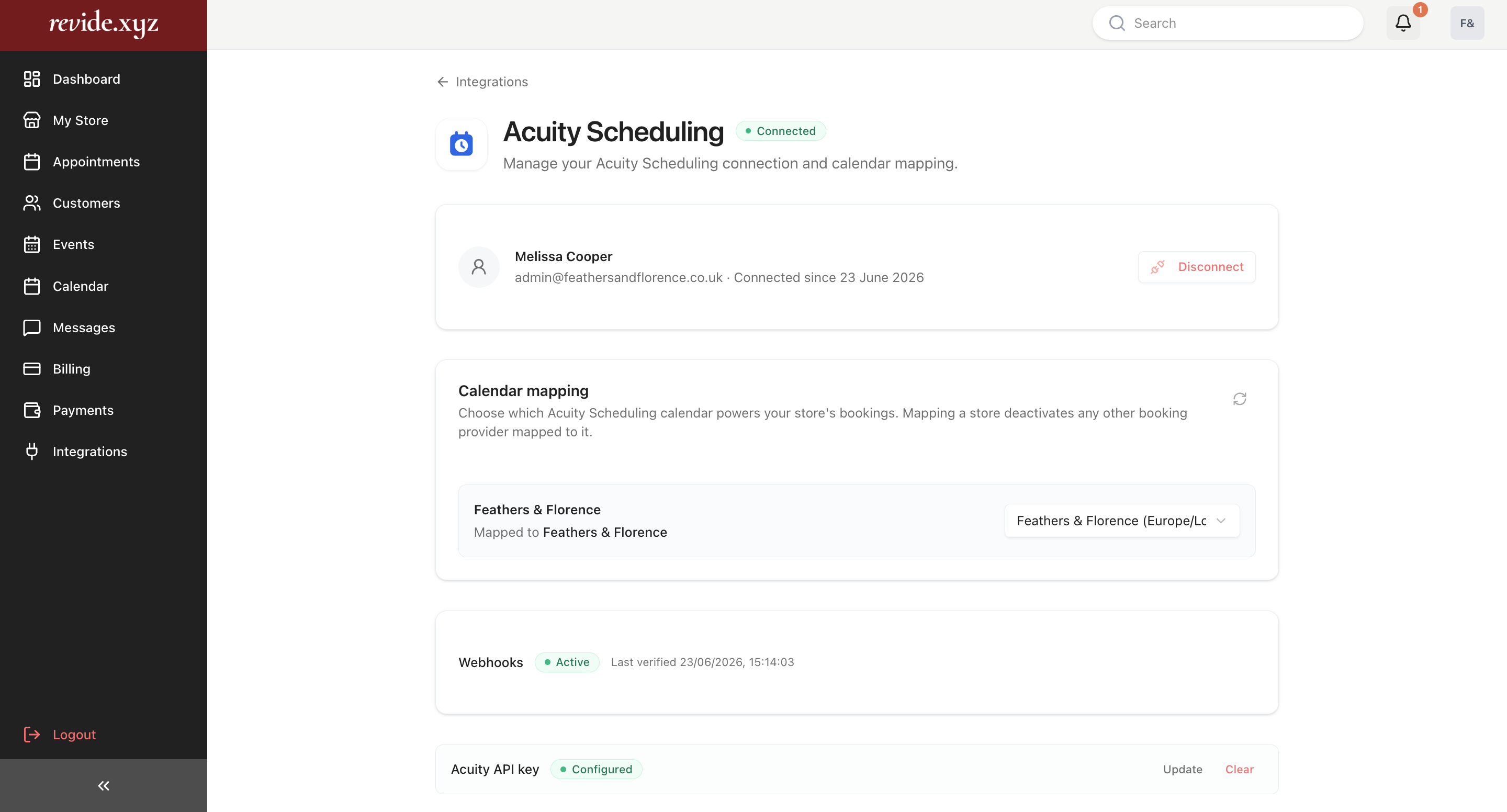
Step 2: Clear your API key
On the same page, scroll to the Acuity API Key section.
Select Clear to remove your API credentials completely.
Once removed, Revide will no longer communicate with your Acuity account.
Important: Set up your store manually
After disconnecting, Revide can no longer sync information from Acuity.
You'll need to manage your store directly within Revide.
We recommend checking the following sections under My Store:
Opening Hours
Set your store's opening hours manually.
These hours determine when brides can book appointments.
Availability
Review your weekly availability and any scheduling preferences.
Appointment Types
Create or edit your appointment types inside Revide.
For example:
- First Date
- Second Date
- Final Date (Dress Collection)
- Accessories Appointment
These appointments will now be managed entirely within Revide rather than Acuity.
What happens to existing bookings?
Disconnecting Acuity does not delete previous appointments or your store profile.
However, any future bookings will follow the availability and appointment types configured inside Revide.
Can I reconnect Acuity later?
Yes.
You can reconnect your Acuity account at any time by visiting:
Integrations → Acuity Scheduling
and following the connection process again.
Related articles
- How do I connect Acuity Scheduling?
- What happens after I connect Acuity Scheduling?
- Why aren't my appointment types showing?
- Why are my opening hours missing?
- How do appointment bookings work on Revide?